
You must be a global administrator to set up digital signage in Calven.
Setup instructions
1 - In Calven web
-
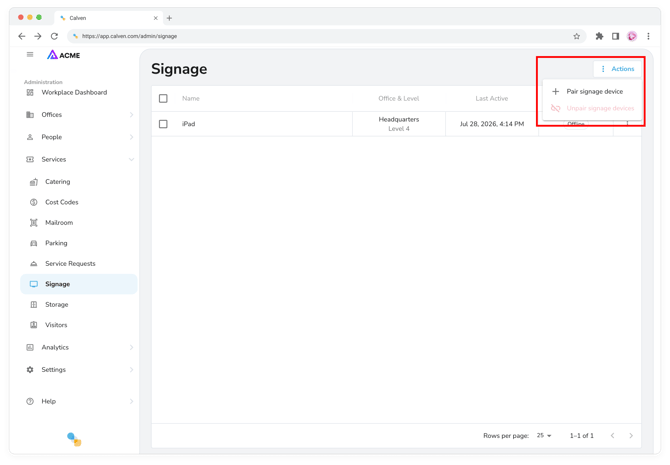
Navigate to app.calven.com/admin/signage and use the Actions button to pair signage device. Calven will ask you for a pairing code.
2 - On the signage device
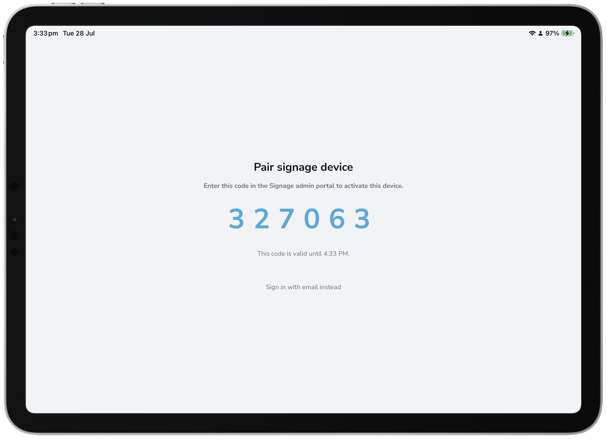
- Open internet browser and navigate to kiosk.calven.com - the pairing code (valid for one hour) will be displayed:
3 - In Calven web
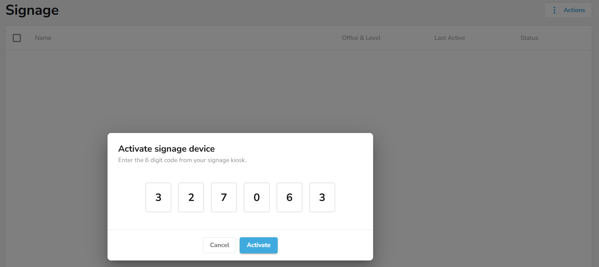
- Enter the pairing code and click Activate:
- Complete the configuration for your signage device by entering a Name, the Location and Level to display. Select the Interactive checkbox if the device is intended for people to search and make same-day bookings.
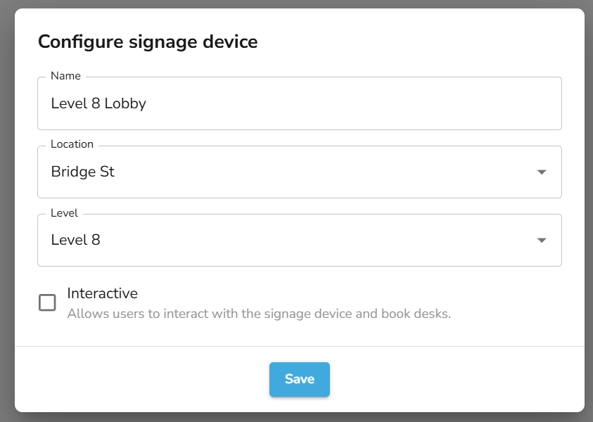
- Click Save to complete configuration.
- The device will be paired, and all devices will be listed in Calven web. Administrators can update the configuration or unpair a device from this page.
- Device will change to offline if the device changes state. Open device and/or refresh to trigger status changing back to online.
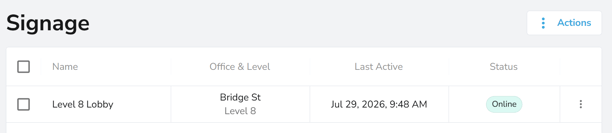
4 - On the signage device
- Wait for pairing to complete, and then the floorplan will appear for today. Search will also be active on the right side if Interactive has been selected for this device.
- The device will display the floorplan and reflect real-time desk bookings, presence green ticks, and meeting room status.
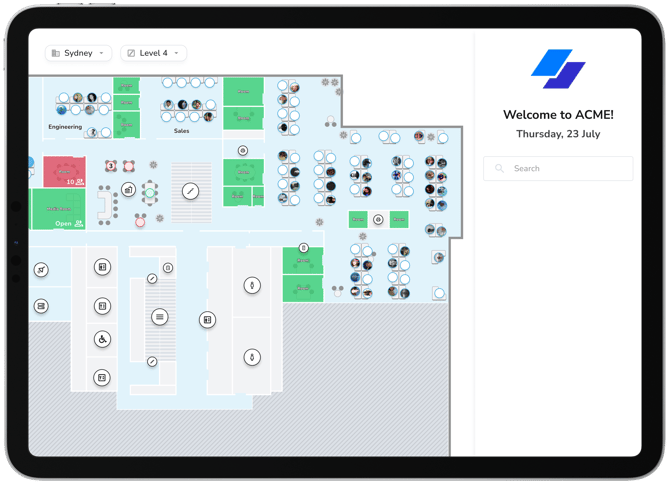
For the optimal experience, on an iPad:
- When viewing kiosk.calven.com in the browser, tap on the share
 button from the menu and select Add to Home Screen. Change title to 'Calven Kiosk' and click Add. This will create a new app on your device's home screen.
 - Complete the pairing setup above
- Use guided access to "lock" the device to the kiosk experience
Helpful tips for using digital signage:
-
Refresh the floor plan (if not auto refreshed) by clicking on the company logo.
- Users can perform various actions for today if Interactive is configured, including searching for a user, scrolling across floors, booking a desk, booking a meeting room, etc.
- Desk booking changes will trigger a notification being sent to the affected user: "Kiosk booked you desk X in neighborhood at location today".